Your Ontouch profile brings together your identity, app access, sync status and account settings in one convenient place.
Your profile gives you quick access to the information and settings that support your day-to-day use of Ontouch:
Keep your profile image up to date. This image identifies you throughout Ontouch and can be changed directly from the app.
Open your personal Ontouch QR code whenever you need to identify yourself for supported scans and verification.
View your name, company, user level and email details, together with the Ontouch modules currently available to you.
Refresh and sync app data to collect the latest company setup and permissions, while also checking the status of offline work waiting to upload.
Your profile also shows useful device and app information, making it easier to confirm which version of Ontouch you are using.
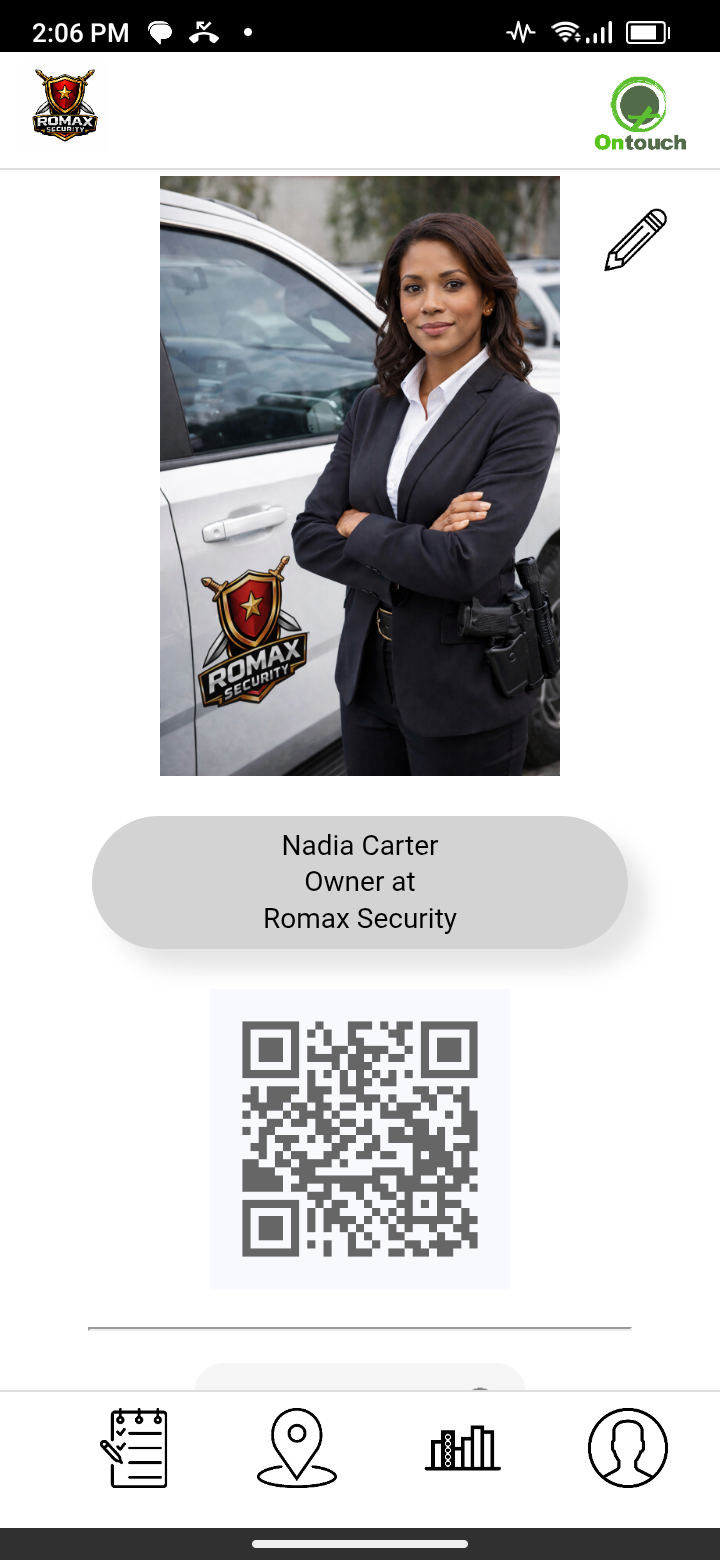
User profile page
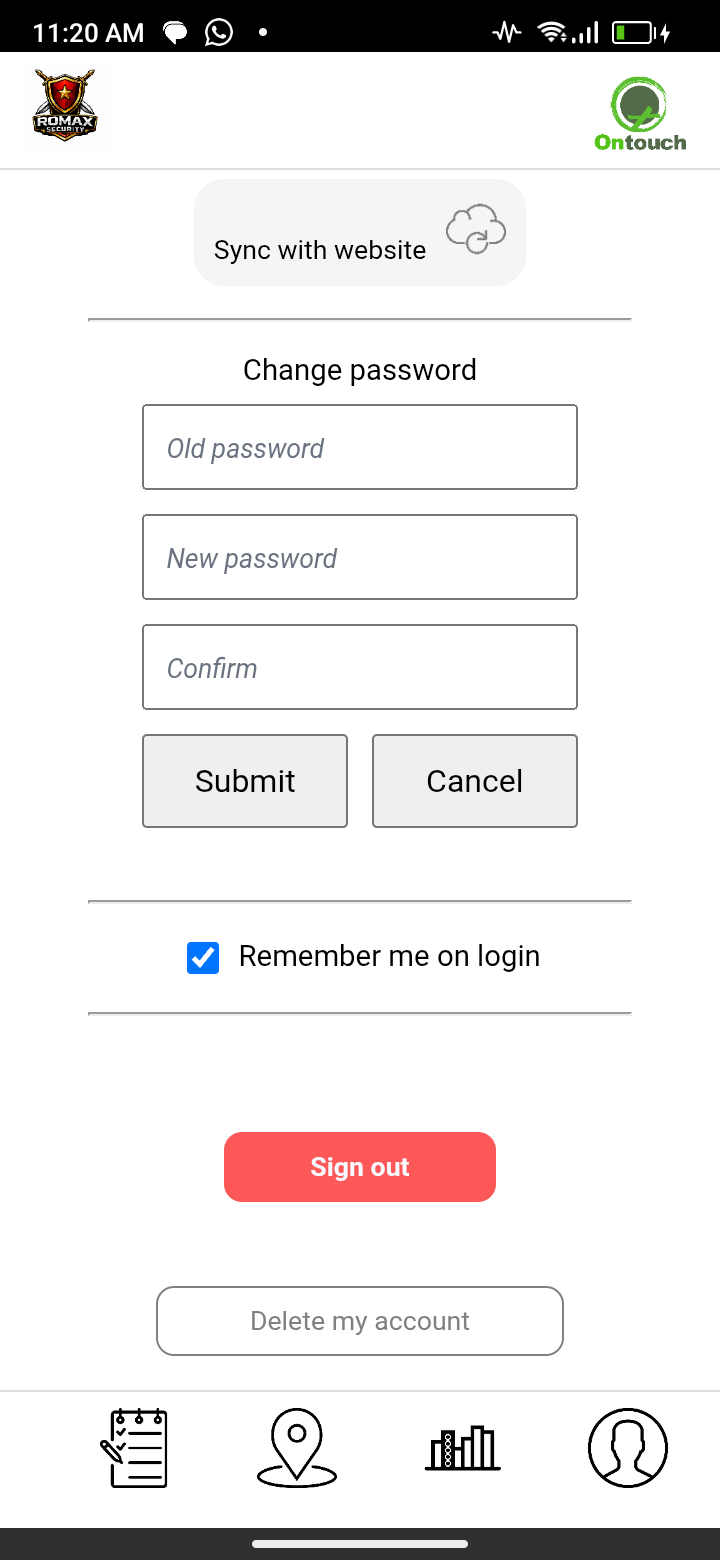
Various user settings
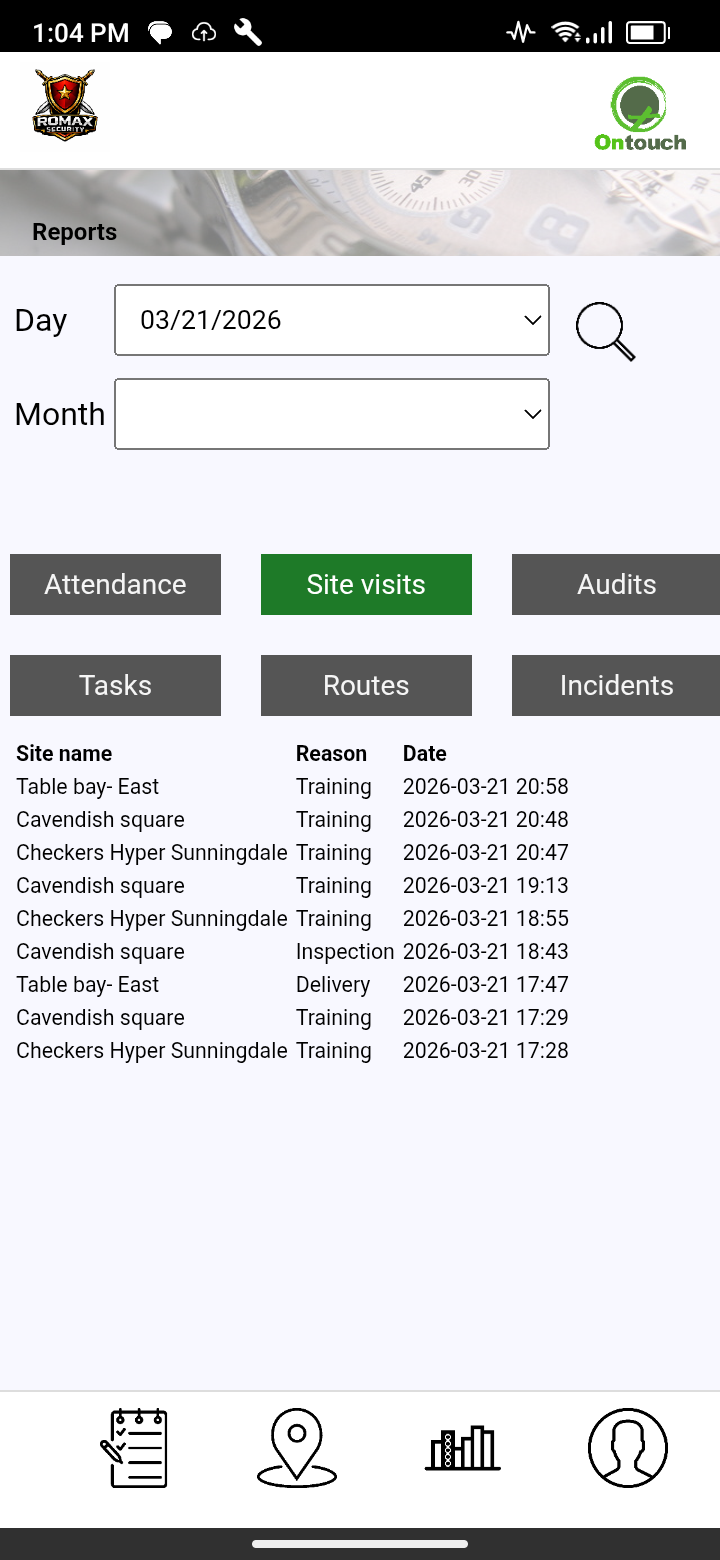
Reports of all your activities
❮
❯
Choose the display that works best for you, including Night mode for lower-glare use during night shifts and low-light work.
Manage your sign-in preferences with Remember me and biometric login where supported, and change your Ontouch password directly from the app.
Sign out securely from the current device whenever needed.
If you choose to delete your account, Ontouch removes your personal identifying information and deactivates the user account. Historical operational records and company reports remain available to your company.
LIMITED OFFLINE
Profile details and saved settings remain available offline. Refresh, sync and server-side account changes require a connection.
User management on our website
Company administrators can manage each user's profile, reporting line, base site, tags and other operational details from the Ontouch website.
Control website, app and messaging access so each user only sees and captures what they need for their role.
Attach important employee documents such as contracts, leave forms and certificates for convenient reference.
Review user requests and profile changes, manage active or archived users, and open user reports from the same area.
Users can request removal of their personal identifying information. Historical operational records and company reports are retained.
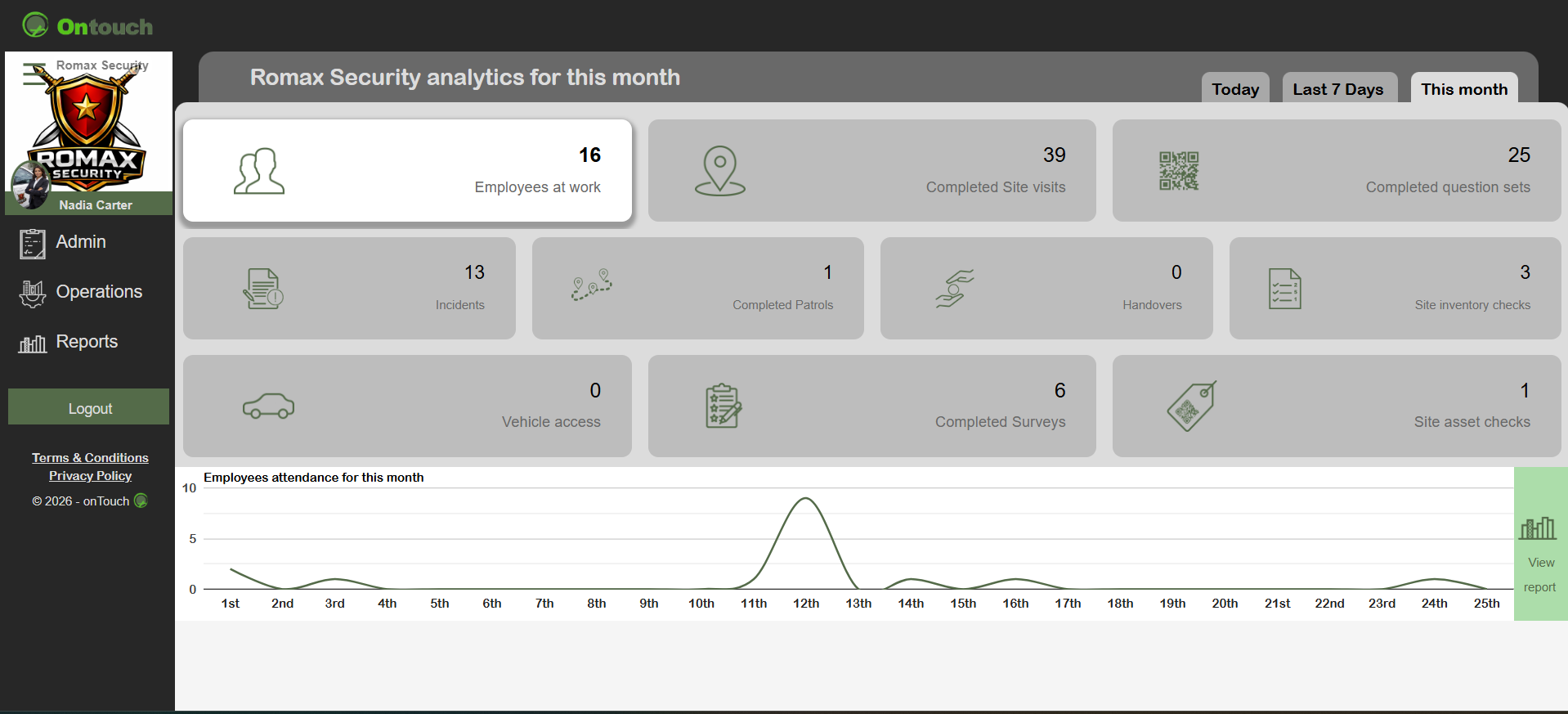
Dashboard with live updates on all activities
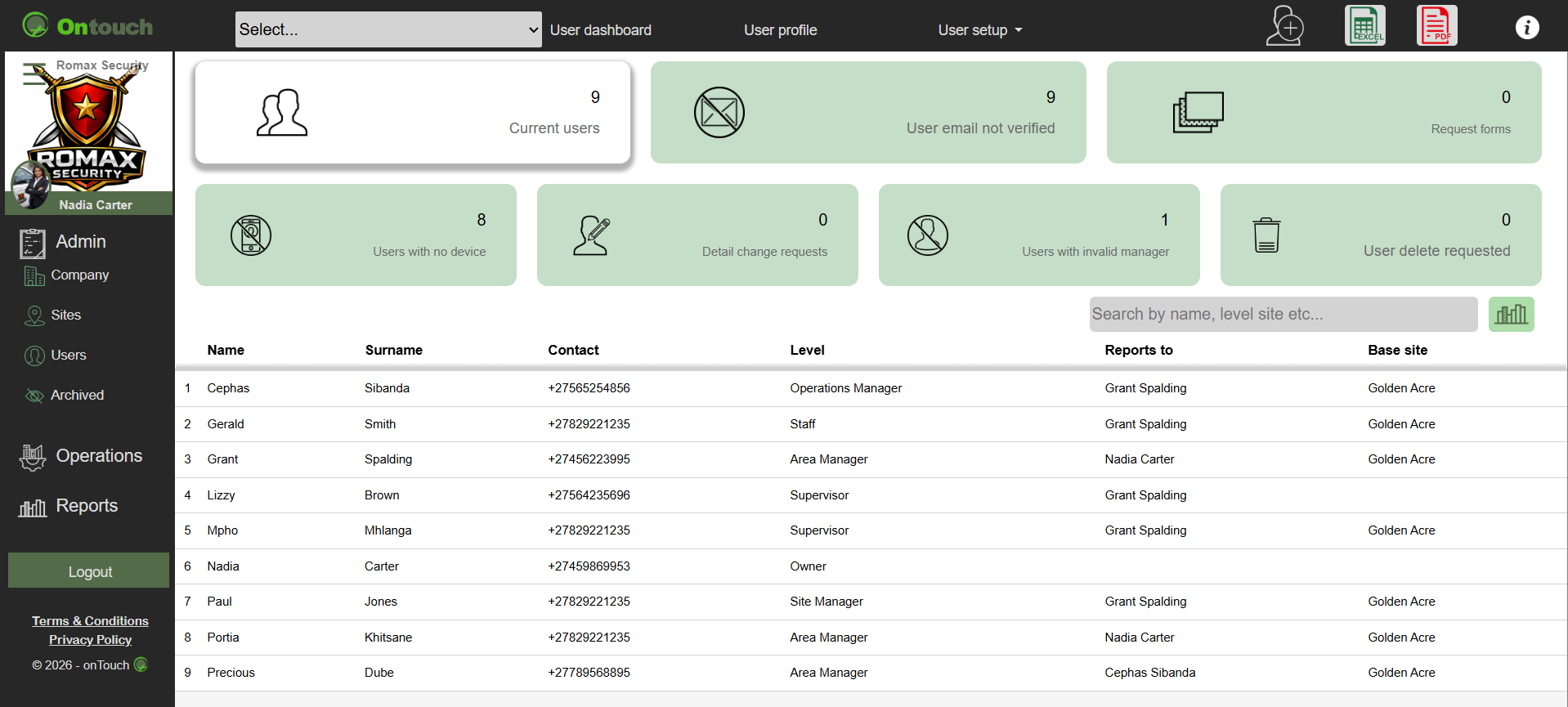
User operations control
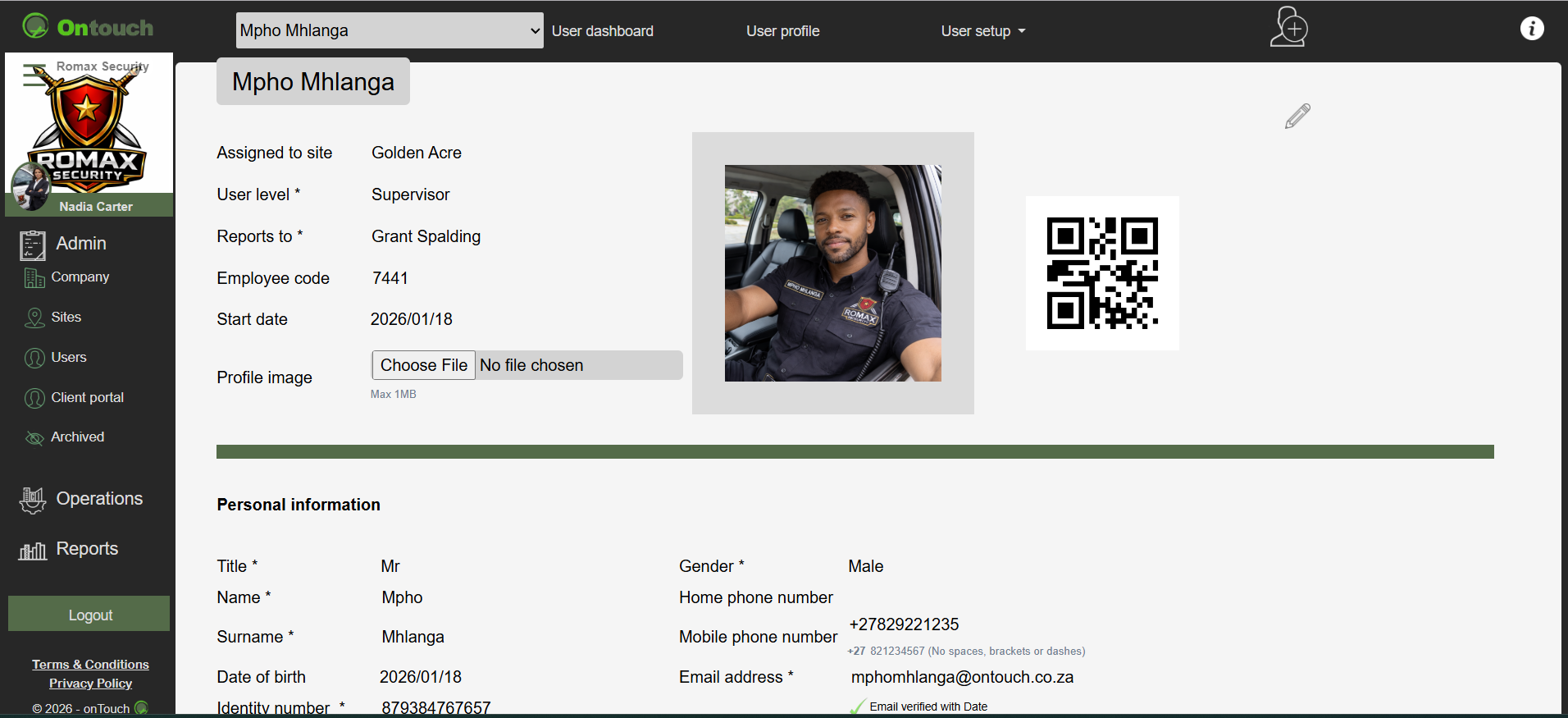
User profile page
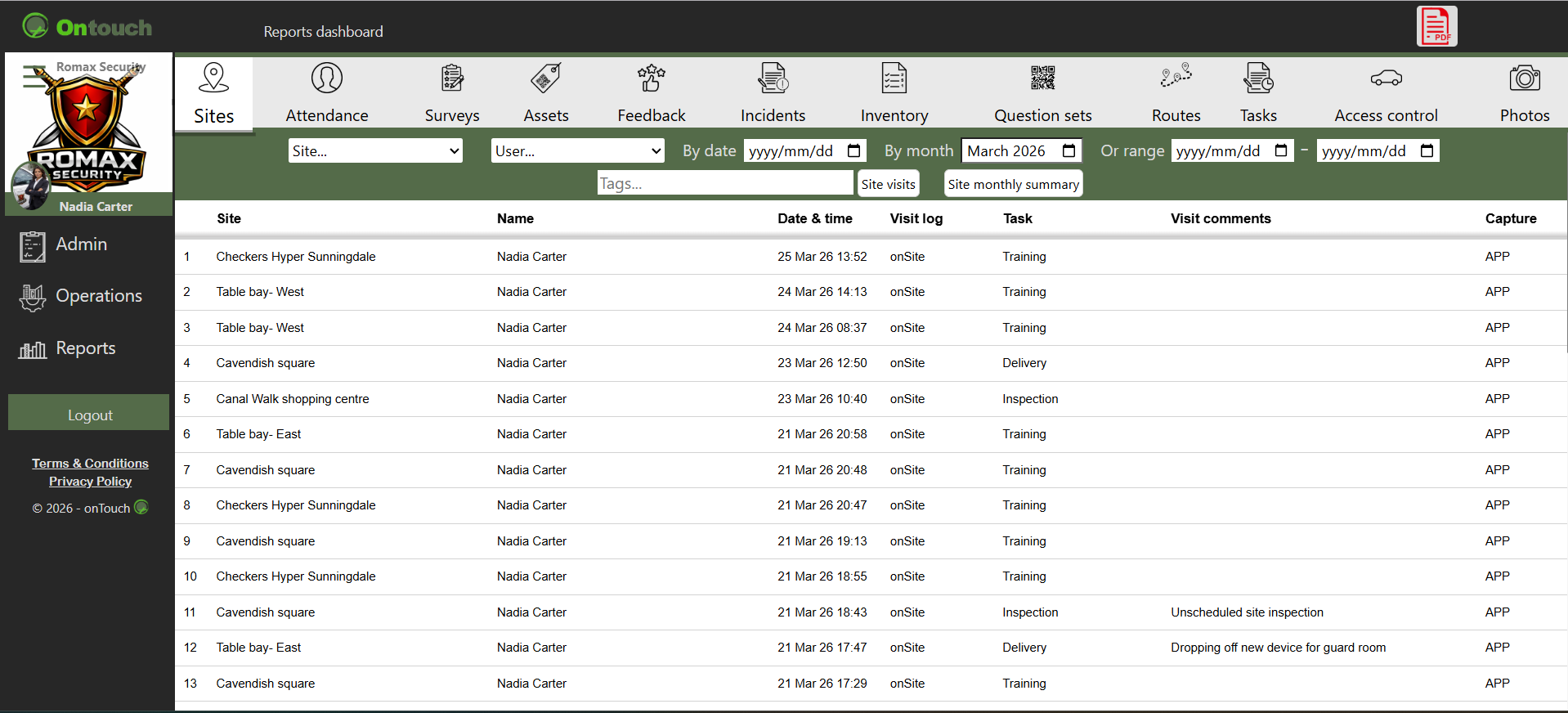
Reports of all user activities
❮
❯
* Profile picture * Personalised QR code * Profile information * Module access * Sync & offline status * Device & app information * Night mode * Biometric login * Password & account security * Sign out
Images are for demonstration purposes only.
©